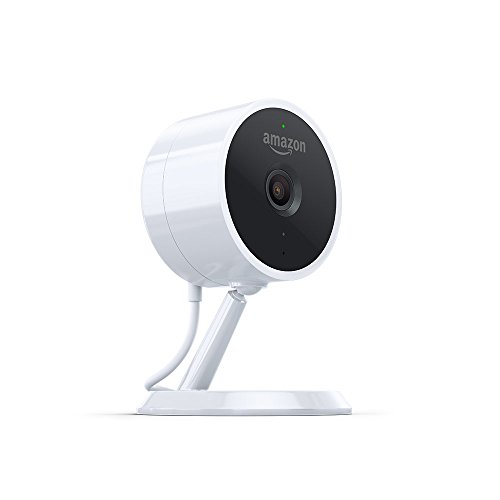

Catch every moment
Amazon Cloud Cam features everything you need to help keep your home safe. When Cloud Cam sees any activity you’ll receive a notification, allowing you to keep tabs on your home from anywhere. Our always-ready motion detection feature helps to capture activities right from the start.
Stay connected 24/7
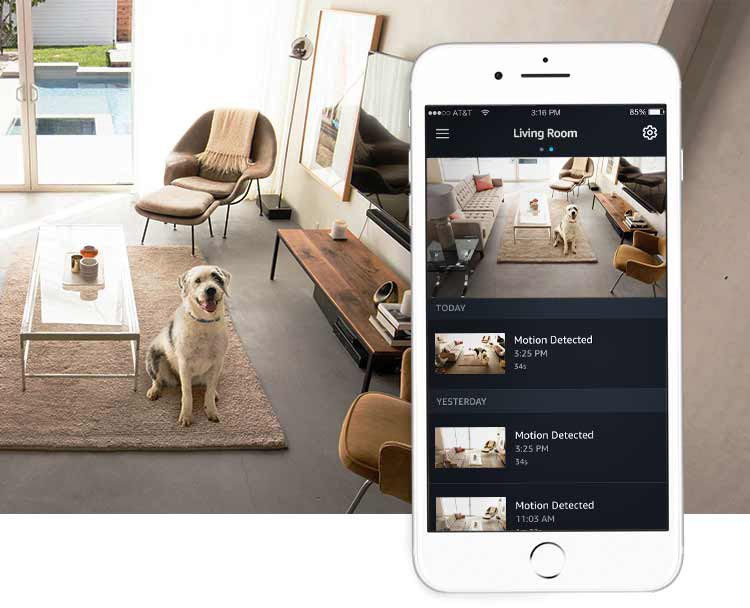
Monitor your home, family, and pets in crisp 1080p Full HD, and catch activity as it happens. Use the Cloud Cam App to check in on your home anytime by viewing live video streams, replaying motion alert clips, and more. Watch 24 hours of motion alert video clips for free in the Cloud Cam App or in your Amazon Drive account with unlimited downloads and shares.
See clearly in the dark
Cloud Cam features eight infrared LEDs and Cloud Cam’s computer vision algorithms automatically activate night vision when lighting is dim. See the camera’s entire field of view at night—not just a spotlight. Turn on/off night vision LEDs in the Cloud Cam App.
Two-way audio
Cloud Cam’s built-in mic and speaker let you stay in touch with your household. Check in with the kids after school, tell your dog to stop barking, or say hello through the Cloud Cam App.
Intelligent alerts
Cloud Cam’s motion detection and computer vision technology provides customizable notifications so you only get the alerts that matter. Get intelligent alerts like person detection with a Cloud Cam subscription plan.
Start your 30-day free trial today
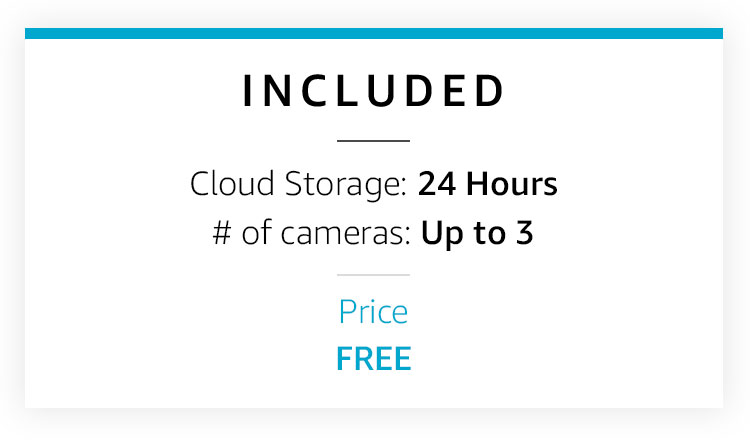
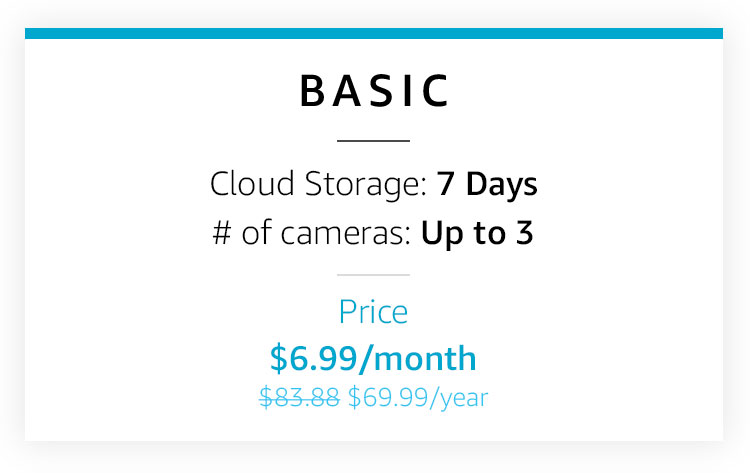
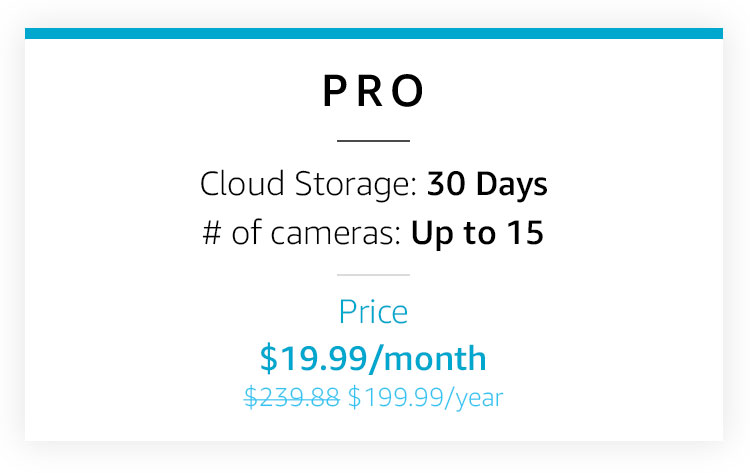
Upgrade to a Cloud Cam subscription for advanced features like person detection and get notified when Cloud Cam sees a person. Or set Zones, which lets you select areas that Cloud Cam should ignore, like a fish tank or a tree outside a window. Cloud Cam subscriptions include up to 30 days of video history and support for up to 10 cameras.
See your entire home
With Cloud Cam, it’s easy to see all the areas in your home that you want to cover. Place Cloud Cam inside your front door to see who’s arriving or in the living room to keep tabs on your pets while you’re away. You can manage all of your cameras from the Cloud Cam App, making it easier for you to see more at all times.
Works with Alexa
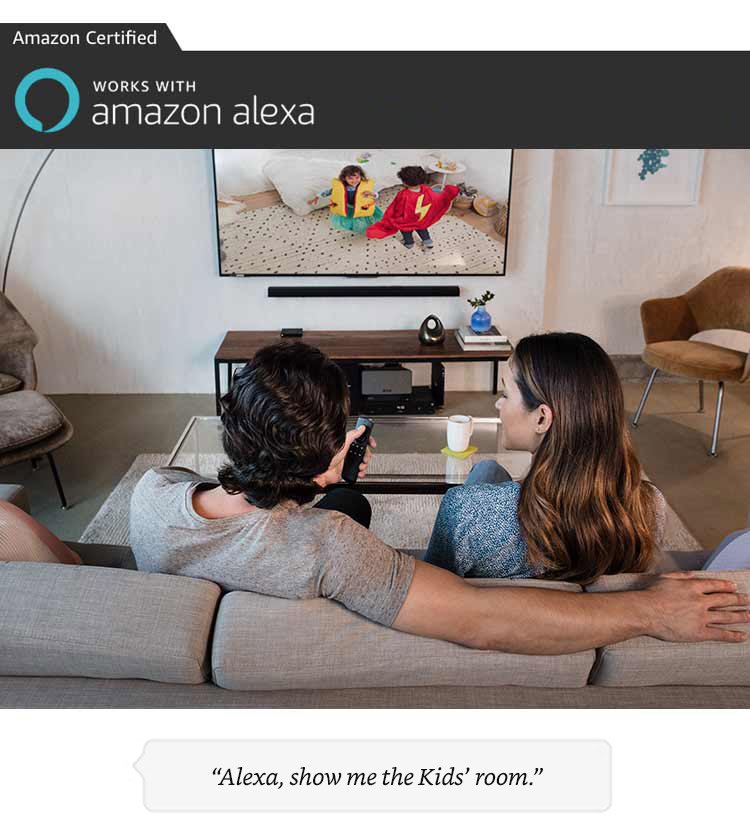
Just ask Alexa to show Cloud Cam’s live view on your Fire TV, Fire Tablet, Echo Show, or Echo Spot for a quick way to see what’s happening in another room. You can also speak or listen through Echo Show or Echo Spot using Cloud Cam’s two-way audio-an easy way to let your kids know it’s time for dinner. Cloud Cam is built in the same cloud as Alexa so it’s always getting smarter with more advanced alerts, detection, and features.
Check in from anywhere
With the free Cloud Cam App on Fire OS, Android, and iOS, you can access your Cloud Cam feed, anywhere you go.
Use the Cloud Cam App to check in 24/7 and catch activity as it happens. Replay important motion detected activities that were captured throughout the day. Name your cameras to easily differentiate monitoring views, like Kitchen and Living Room. Check in with the family or let your kids know when it’s time for bed with two-way audio. You can even customize alerts* and focus on areas that are most important by highlighting zones for Cloud Cam to ignore.
*Cloud Cam subscription plan required.
Find the right plan for you
Cloud Cam comes with notifications that let you know when activity is detected. With a Cloud Cam subscription plan, you can unlock advanced features that include:
* Person detection—notifies you when a person is detected.
* Zones—reduce unwanted alerts by specifying areas to ignore.
* Unlimited download & shares—for your video clips.

Introducing Amazon Key
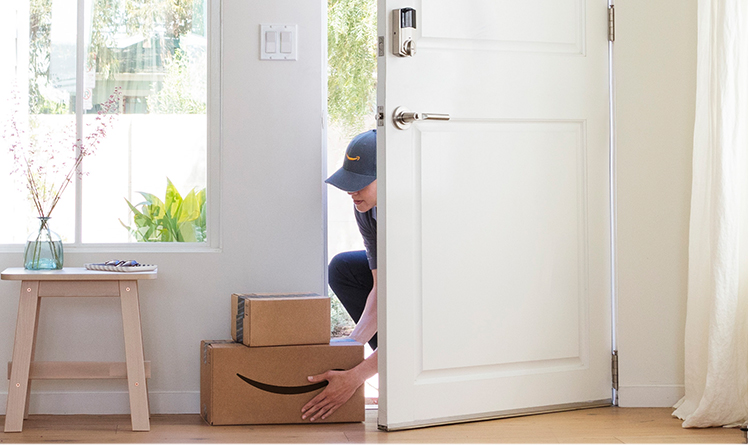
Not at home? Not a problem.
As a Prime member, get your Amazon packages securely delivered just inside your front door. Plus, grant access to the people you trust, like your family, friends, dog walker, or house cleaner—no more leaving a key under the mat.
Amazon Key is exclusively for Prime members in select cities and surrounding areas. To get started, purchase the Amazon Key In-Home Kit, starting at $249.99. The kit includes: the Amazon Cloud Cam (Key Edition) indoor security camera and a compatible smart lock from Kwikset or Yale.
Product Features
- Stay connected 24/7 – Catch activities as they happen in 1080p Full HD. Watch, download, and share the last 24 hours of motion alert video clips for free.
- Notifications – Get notified when Cloud Cam sees activity. Check in anytime or watch motion clips on the Cloud Cam mobile app or at cloudcam.amazon.com.
- See clearly in the dark – Night vision lets you detect what’s happening around the clock. Turn on/off night vision LEDs in the Cloud Cam App.
- Two-way audio – Check in with the family or tell your dog to stop barking.
- 30-day free trial of Cloud Cam Plans – Get intelligent alerts and advanced features like person detection, Zones, and see up to 30 days of video history
- Works with Alexa – Just ask Alexa to show your live feed on your Amazon Fire TV, Fire Tablet, Echo Show, or Echo Spot.
- Cloud Cam is always getting smarter with more advanced alerts, detection, and features. Just announced: watch your live feed or video clips from a computer at cloudcam.amazon.com.
- For Amazon Key, purchase the Amazon Key Home Kit, which includes Cloud Cam (Key Edition). You need Cloud Cam (Key Edition) that features a Key Edition power cable to enable Amazon Key.
This camera SAVED my dog’s life
There is a lot of misinformation out there (Updated 8/11/2018) This camera has worked well for me, a non-tech person. I have tried to answer as many of the common questions asked about this camera as I could.I am not sure why, but there is a lot of misinformation out there, especially in some of the top reviews. Some of the problems have been fixed in software updates, but much of the information is just not correct. Hopefully these reviews will be updated at some point.(Edit 8/11/2018 I have noticed many of those top reviews with bad info and most of those âcamera caught the thiefâ video reviews are gone for some reason).⢠You can download and watch videos on a PC with the free plan (first 24 hours)⢠You can watch live stream on a computer via cloudcam.amazon.com⢠You can turn off audio playback (from the app)⢠You can invert the video (from the app)⢠You can turn of the infrared night light (from the app)UNPACKAGINGPackage came on time and was without any damage, but there was no padding inside the shipping box. Included in the main box were the camera, USB cable, AC adaptor for 110 voltage, small setup manual, wall mount and two drywall screws (see photos).OVERALL FIRST IMPRESSIONSCamera seems well made and a little smaller than I thought it would be. All items were included and in good condition.The image on the live view in daylight was good (see photo), images appeared sharp and easy to identify. Sound was crystal clear. I turned on the TV, went into another room and was easily able to watch the TV and hear the sound very clearly when it came through. There were some breakups of the sound at times though, making me miss some of the audio detail. But night vision is dark and grainy, it is not easy to make out itemsSETUPSet up took me less than 11 minutes which includes downloading the app and logging into all accounts. I am not a big tech guy but setup was quite easy. Basically you just plug the camera in to the AC adapter, download the Amazon Cloud Cam app to your phone, wait for the blue blinking light on the camera to change to a pulsating blue and green light, and you will hear a chime sound. This means the camera is ready for setup. Then you just hit the setup button on your phone and in about 3 minutes it is working. I am using a Moto E as my video source and for the app.HOW IT WORKSYou can watch live view or see the video clips the camera took upon it detecting movement. It quickly took several short videos detecting movement when I walked around. I also received a sound and text notice on my phone of âMotion detectedâ every time it detected motion and took a video, and when I touch the notice it will play the video for me. I do seem to get a lot of âWe were unable to play this videoâ error codes when I first try to play the video, but usually it will play when I hit the blue âreplayâ button. I have not upgraded my plan so I will only get the last 24 hours of video. It does not take pictures but you can easily do this by just taking a screenshot (see photo) on your android phone, normally this is just hitting the power button and volume button at the same time. Or you could do a Print Screen on your computer when viewing recorded video clips. You can view the recorded videos AND download video clips from a PC with the free plan, just go to http://www.amazon.com/clouddrive, sign in, then when watching your videos in the upper right hand corner there is a download icon. You can also view live feed or videos up to 24 hours any time with the basic included plan on your cell phone or computer.GLASS WINDOWSIt will take video through a window as it can detect movement. Image for me was still pretty good. But at night the infrared light will glare badly on the windows blurring your view almost completely. You can turn off the infrared light via the app though, and using just a porch light I captured cool videos of many animals at night.WHAT I DO NOT LIKEIn my opinion this camera has poor night vision. It does have the ability to see live view from a computer even though many reviews say you cannot do this. Just go to cloudcam.amazon.com to set it up.I set this camera up to watch my car in my driveway as a test, but at night even at low sensitivity it goes constantly, recoding everything. OK, no problem yet. But when I go to Amazon Drive, I see a lot of recorded videos that I just want to delete. But as of now, I have to look at each one individually, and then hit the delete button each time. I would think this could be MUCH easier. I might take a star off for this in the future (maybe it is just something I do not see or have figured out?).Edit: Thx to âRegolithâ who gave me an option to quickly delete the videos, see his/her two comments under the âcommentsâ section, they worked well for me. It can work for the phone or the computer…