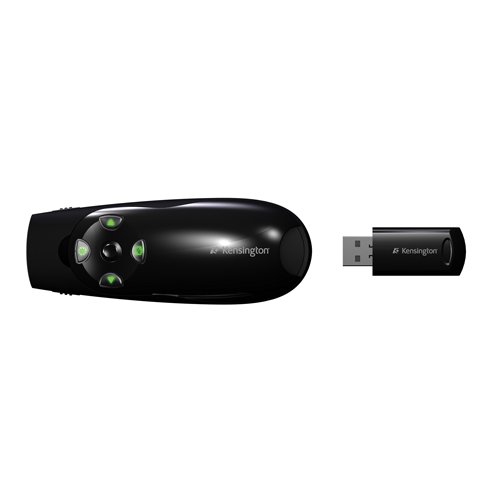

You can’t make your point if no one can see it. So make your point with a bright green laser suitable for even the biggest rooms and brightest screens with the Kensington Presenter Expert Green Laser Presenter with Cursor Control. It’s 10 times brighter than standard red lasers, so it stands out against even the brightest LCD and plasma displays. The Presenter Expert’s intuitive four-button design makes it easy to navigate and when you need to move your cursor, a quick flip of a button gives you full cursor control. The powerful 2.4Ghz remote resists interference and lets you control Keynote or PowerPoint from up to 150 feet (50 meters) away. Great features like backlit buttons, a low battery indicator, on/off switch. A convenient carry pouch is included.

Presenter Expert with Green Laser Pointer
Take Control of the Room
Take control of the room–and your computer’s cursor–with the Kensington Presenter Expert Green Laser Presenter with Cursor Control. The green laser helps you make your point from across the room. But sometimes pointing just isn’t enough. With a simple flick of a switch, you’ll toggle between presentation and cursor control modes. The powerful 2.4Ghz remote lets you control Keynote or PowerPoint from up to 150 feet (50 meters) away.
Convenient Wireless Connectivity
Powerful 2.4GHz connectivity allows up to 150 feet of operational range. Connect the Presenter Expert by plugging the wireless 2.4GHz USB receiver into any standard USB port on your laptop or desktop.

Wireless Presenter
The Kensington Presenter Expert includes the best features of a wireless presenter including an integrated green laser pointer and dedicated presentation buttons that can operate photo/slideshows, PowerPoint, Google presentations, Apple Keynote, and many other web and PC-based presentation programs. It’s an ideal business tool for executives, HR departments, business professionals, non-profits, educational institutions, and teaching environments.

Cursor Control
The cursor control allows for full device control outside your presentations. Use it like your mouse, with a cursor control joystick and buttons that function for left, right, and center (scroll) clicking.

Button Backlight
LED backlighting shows your presenter controls in low-light conditions. The button backlight turns off after three minutes if there is no activity.

What’s in the Box?
Kensington Presenter Expert, USB 2.4GHz wireless receiver (stored in presenter), 2 AAA batteries, zippered carrying case, User Guide.
Choose the Right Kensington Presenter for You
| Presenter Expert with Green Laser Pointer and Memory | Presenter Expert with Green Laser Pointer | Presenter Expert with Red Laser Pointer | Wireless Presenter with Laser Pointer and Memory | Wireless Presenter with Laser Pointer | Wireless Presenter | Presentair | |
|---|---|---|---|---|---|---|---|
 |
 |
 |
 |
 |
 |
 |
|
| Part Number | K72427AM | K72426AM | K72425AM | K72336US | K33374USA | K33373US | K39524US |
| Laser Pointer | Green | Green | Red | Red | Red | – | Red |
| Wireless Range | Up to 150 Feet | Up to 150 Feet | Up to 150 Feet | Up to 65 Feet | Up to 65 Feet | Up to 65 Feet | Up to 30 Feet |
| Wireless Cursor Control |  |
|
|
– | – | – | – |
| Integrated Memory | 2GB | – | – | 1GB | – | – | – |
| Connectivity | 2.4 GHz Wireless | 2.4 GHz Wireless | 2.4 GHz Wireless | 2.4 GHz Wireless | 2.4 GHz Wireless | 2.4 GHz Wireless | Bluetooth |
| Backlit Buttons | |
|
|
– | – | – | – |
| Storage Case | |
|
|
– | – | – | |
About Kensington
Kensington understands the link between productivity and protection. This drives them to engineer security elements into all of Kensington’s products and technology platforms. Businesses, organizations, professional users and consumers each value the assurance provided by the “smart. safe. simple” brand promise, which Kensington applies to everything they design, manufacture, and market.
Product Features
- Wireless range up to 150-Feet (50 meters); USB receiver stores inside
- Green laser pointer is 10X brighter than standard red pointers
- Two modes – switch instantly from presenter mode to cursor control mode
- Controls Keynote and PowerPoint
- Compatible with Windows 8
I found excellent and much better qeu the logitech, which I was already two in one year failure. I recommend
Gives you agility great performance and works very well 15 meters away from the receiver, moreover has a green light what is better for bloody images on screens projection.